Introduction
Hello, I am Programmer Yupi.
Recently, the AI field has been buzzing. On April 23, OpenAI released GPT-5.5, followed by DeepSeek’s V4 the next day, both heavyweight models launched in quick succession.

Looking at benchmark scores alone isn’t very meaningful; the true test of a model’s utility comes from real projects.
Fortunately, OpenAI’s Codex desktop version has seen significant updates, evolving from a pure AI programming tool into a “super app” that supports Computer Use, a plugin marketplace, and an integrated browser.
In this article, I will develop a complete full-stack project using Codex and GPT-5.5, with the backend interfacing with DeepSeek V4’s API to implement AI capabilities.
By the end of this article, you will learn how to use Codex, experience the practical capabilities of the new model, and master useful AI programming techniques.
Let’s get started!
Requirement Analysis
The project we are building is called “Project Learning Assistant” (project-helper). The core requirement is simple:
Users input a GitHub repository address, and the system automatically clones the project, analyzes the source code, and generates a comprehensive and easy-to-understand analysis report. The report includes project overview, tech stack, directory structure, core modules, data flow, design patterns, and reading suggestions, ensuring that even a novice can understand it. The analysis process will push progress updates in real-time, and previously analyzed projects will be cached to avoid redundant analysis.
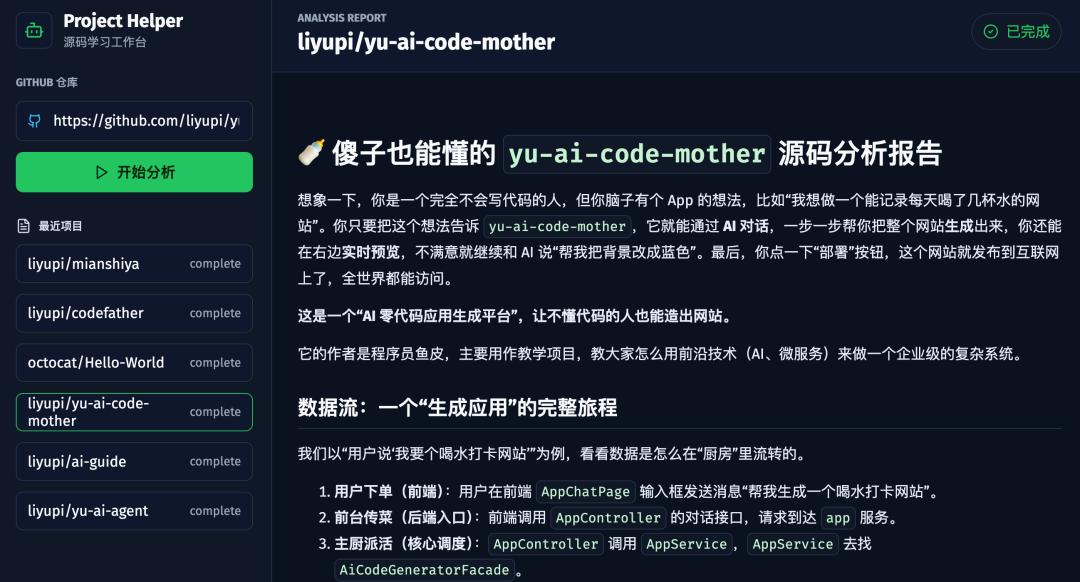
Additionally, users can interactively ask questions about the source code, and the AI will autonomously search the code and read files to answer questions, supporting streaming output.
This way, you can quickly learn any open-source project, even if it involves tens of thousands of lines of code.
Solution Design
If you have no technical background, you can let the AI help you with the solution design.
However, to save time and tokens, I will directly tell the AI how to proceed.
The project adopts a front-end and back-end separation architecture:
- Backend: Python FastAPI + LangChain + SQLite
- Frontend: Vue framework
- AI capabilities interface with DeepSeek V4’s API
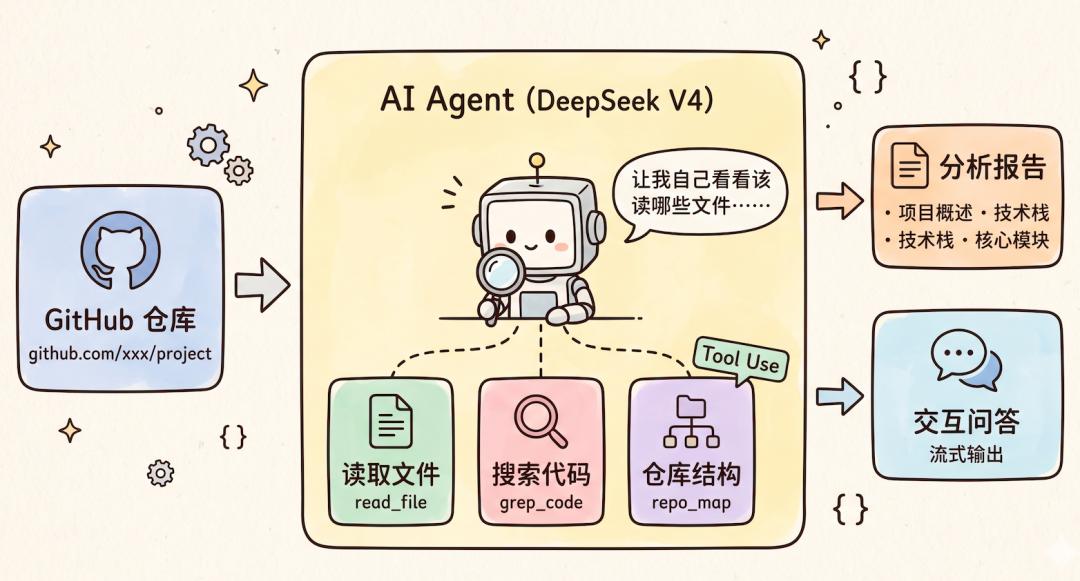
Implementing AI analysis and Q&A capabilities involves some tricks. If a code repository has tens of thousands of lines, should we throw everything at the AI for analysis?
My approach is to use AI tool invocation, providing the AI with tools to read files, search code, and obtain repository structures, while allowing the AI to decide which files to examine and how to organize the answers. This is also a scenario specifically optimized by DeepSeek V4 for agentic operations.
Environment Preparation
Codex Configuration
Open Codex and first ensure that the model list includes GPT-5.5. If not visible, it’s likely an account issue, and you may need to upgrade to a higher membership; I am using a Plus membership.
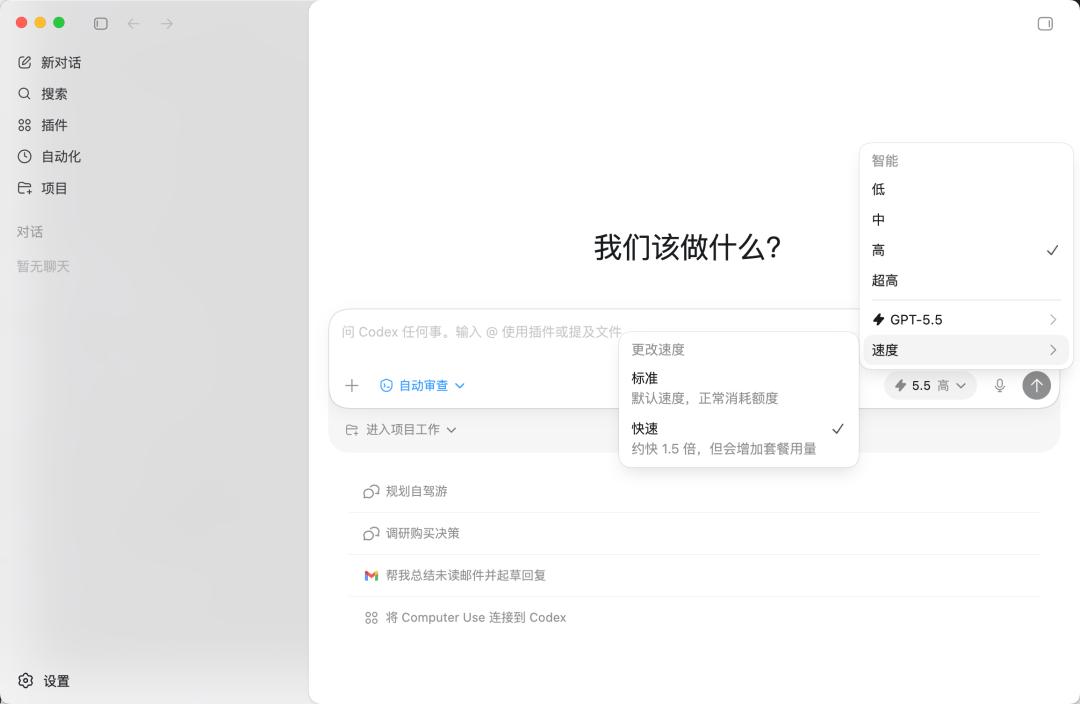
You can see that the GPT-5.5 model option is available, and it supports adjusting intelligence levels (Low / Medium / High / Ultra High); I chose “High”.
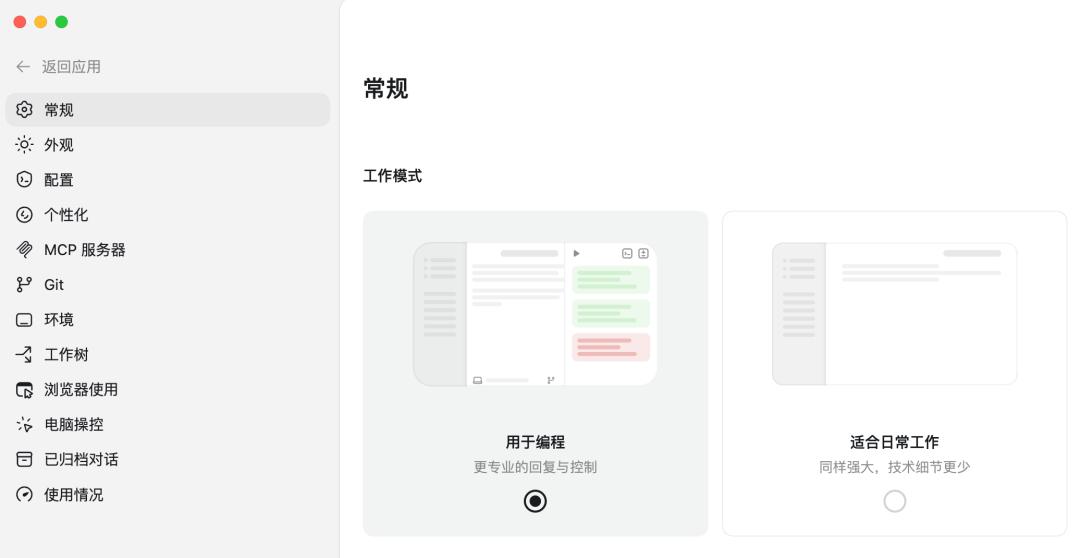
In the lower left corner, go to settings and switch the working mode to “for programming” so that the AI’s responses are more professional and suitable for development scenarios:
Installing AI Extensions
Codex’s AI extensions mainly include three types:
- MCP services for connecting external tools
- Agent Skills packages that teach AI specific professional skills
- Plugins that add more capabilities to the AI
The official version comes with some built-in plugins and skills, such as Computer Use, Browser Use, PDF processing, and presentation editing:
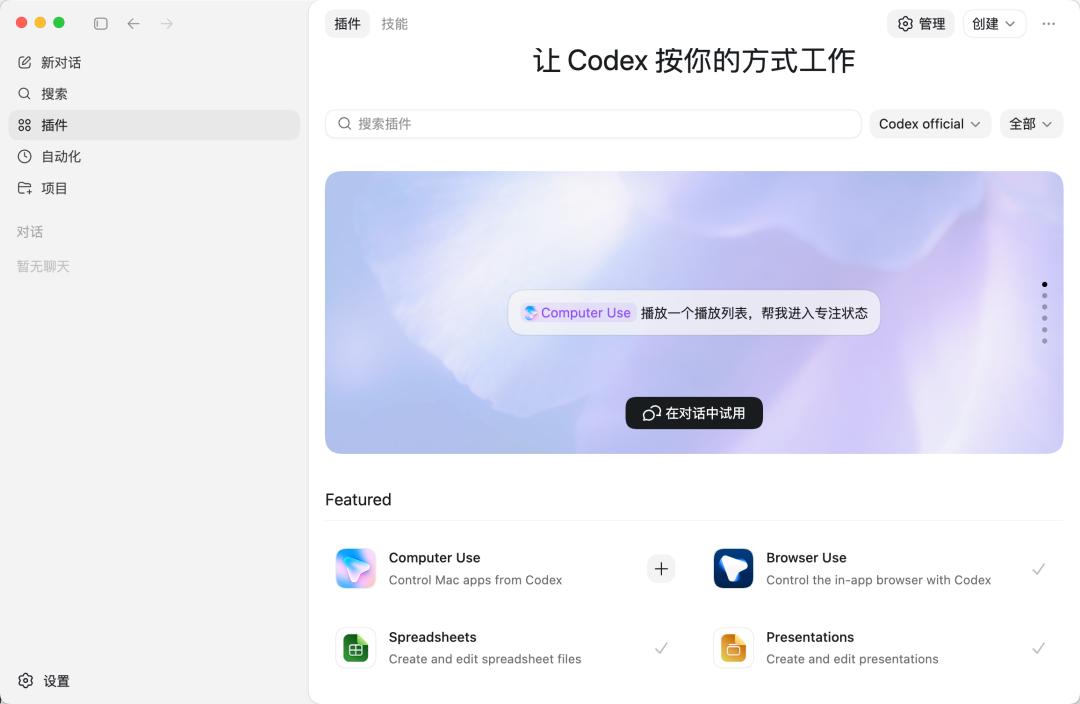
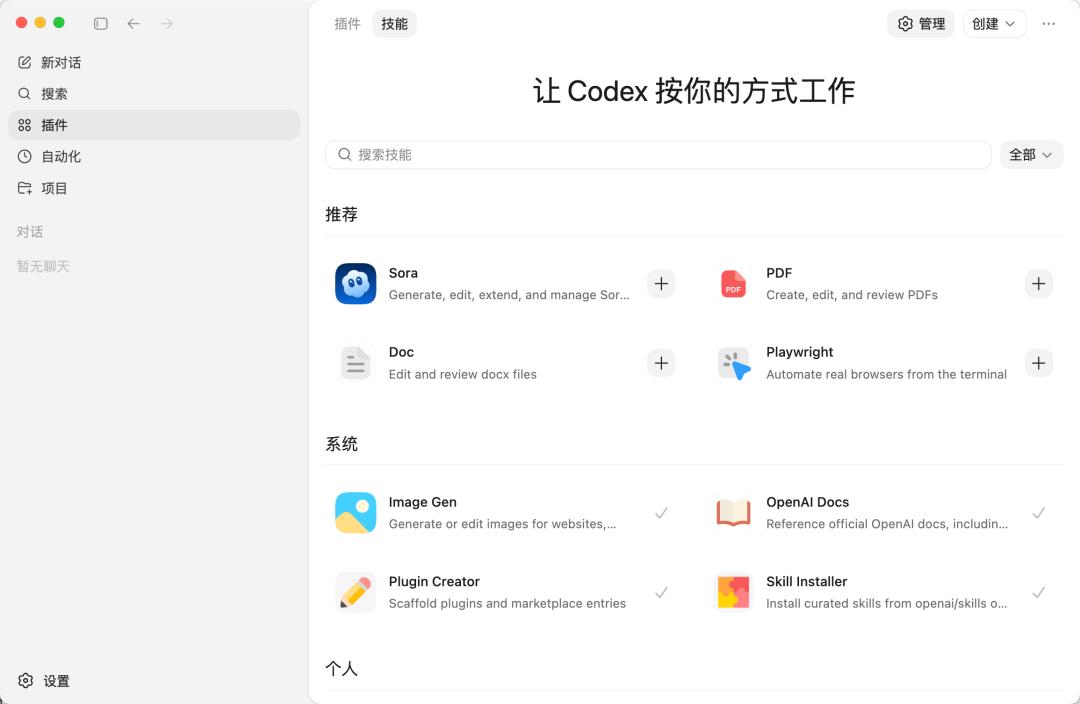
However, the extensions needed for this project are not included by default in Codex, so we need to install them ourselves.
We require the following three extensions:
- Firecrawl: Online search and web scraping, allowing the AI to access the latest technical information.
- Context7: Queries for the latest technical documentation and API usage to reduce AI’s fabrication.
- UI UX Pro Max: Front-end beautification skills to enhance the design of generated pages.
You can manually add MCP services in Codex settings:

However, manually filling in a bunch of parameters is quite tedious!
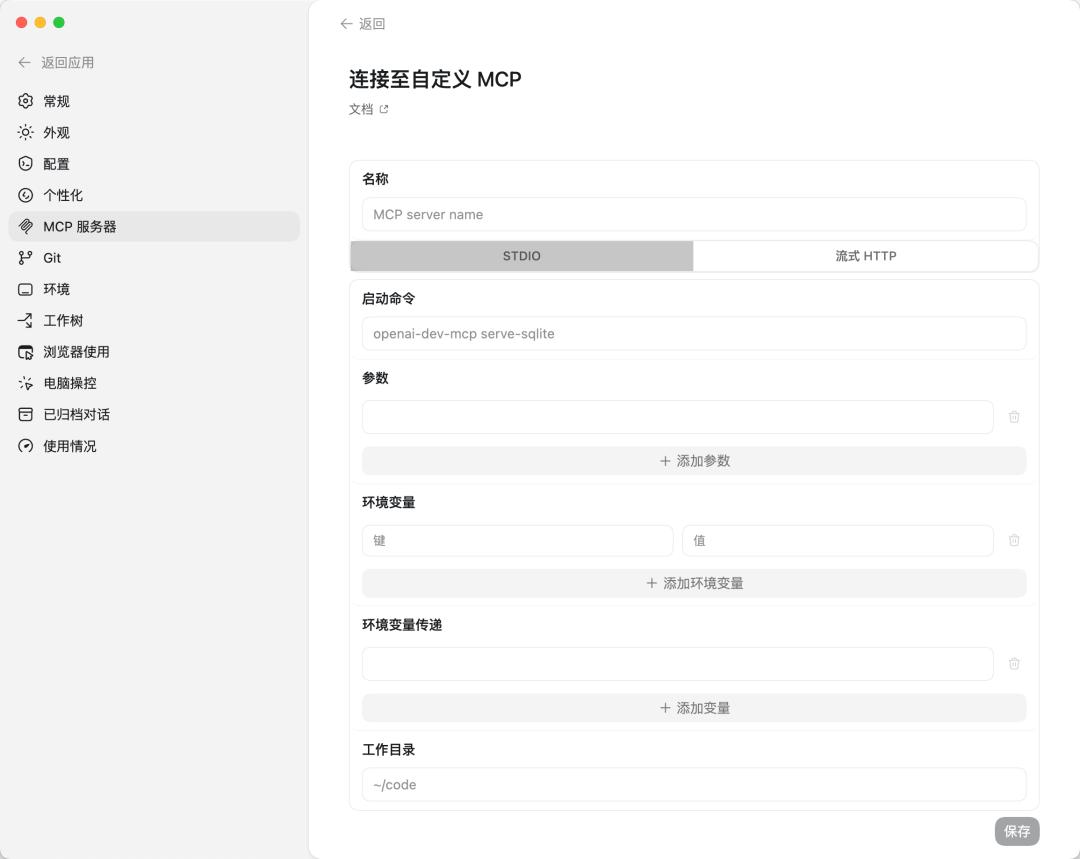
Although you can also directly edit the ~/.codex/config.toml configuration file to add MCP services, it’s still cumbersome.
In this regard, Codex’s experience is not as user-friendly as Copilot and Cursor, where Copilot even integrates MCP directly into the VSCode extension marketplace for one-click installation.
Fortunately, we can use the commands provided by each AI service for quick installation.
1. Installing Firecrawl
Firecrawl is an online search and web scraping tool that allows the AI to search for the latest technical information and documentation before development. Our project needs it to query the latest API usage of DeepSeek V4.
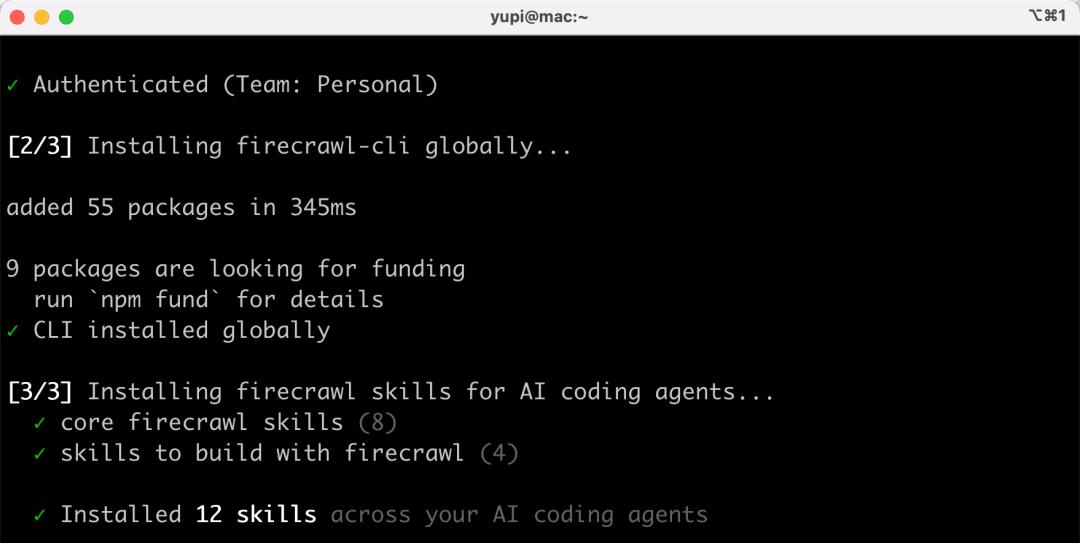
Open the terminal and enter the following command:
npx -y firecrawl-cli@latest init --all --browser
After executing, it will automatically open a browser, and you need to click authorize on the pop-up page:
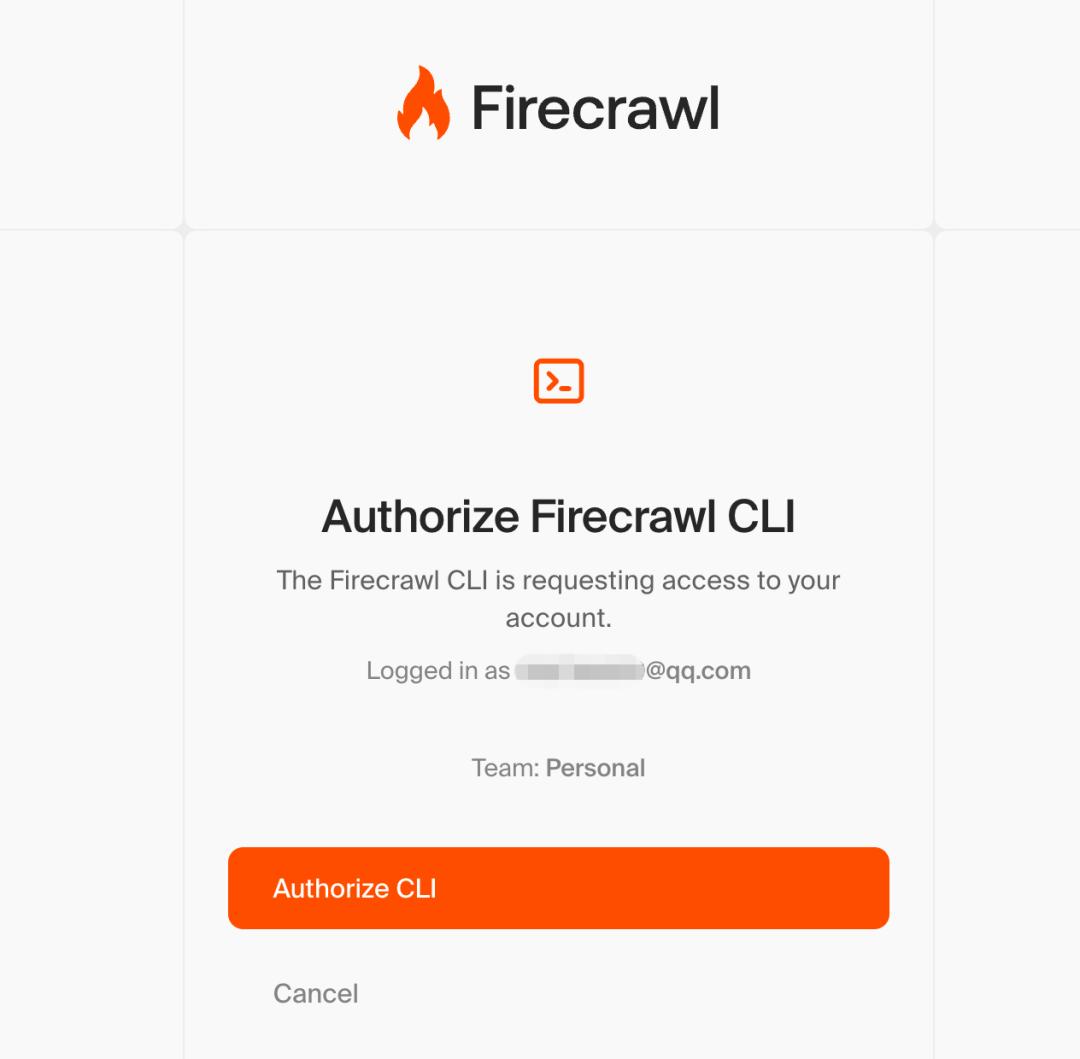
Once installed, it will automatically register 12 related skills:
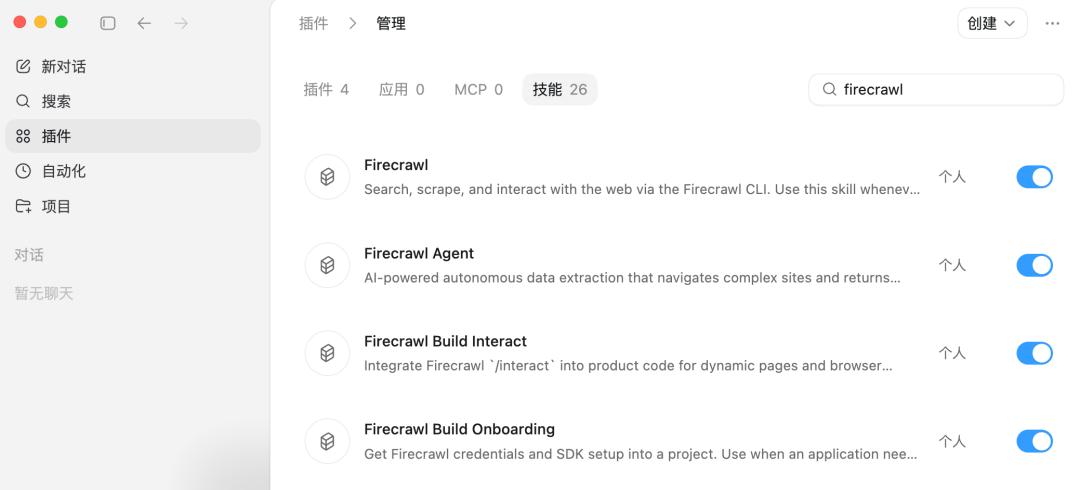
In Codex’s skill management, you will see the newly added Firecrawl-related skills:
2. Installing Context7
Context7 is a technical documentation query tool that allows the AI to access the latest official documentation for various frameworks and libraries, preventing outdated API usage in code.
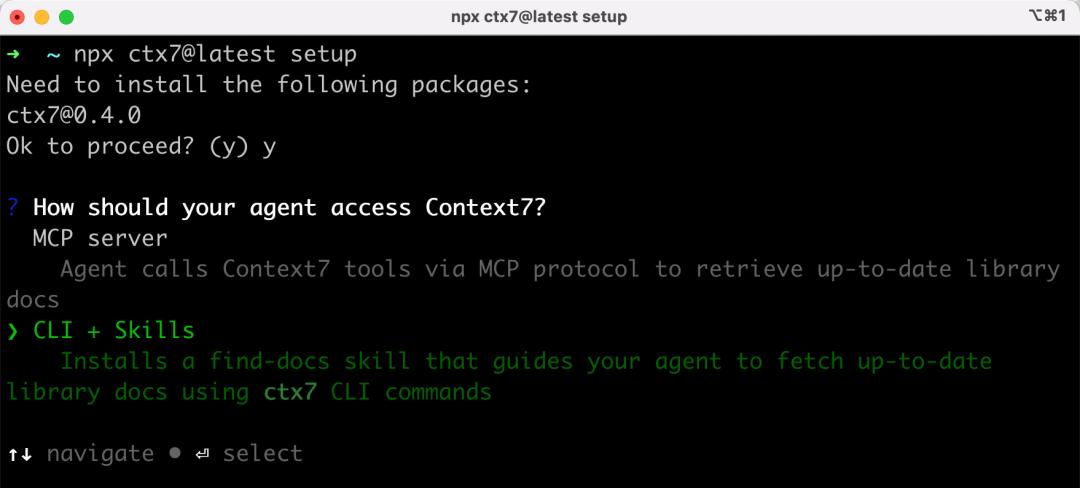
First, enter a command in the terminal to install:
npx ctx7@latest setup
It will ask whether to install MCP services or CLI + Skills; here I choose CLI + Skills. You will notice that more tools are transitioning from MCP to CLI + Skills:
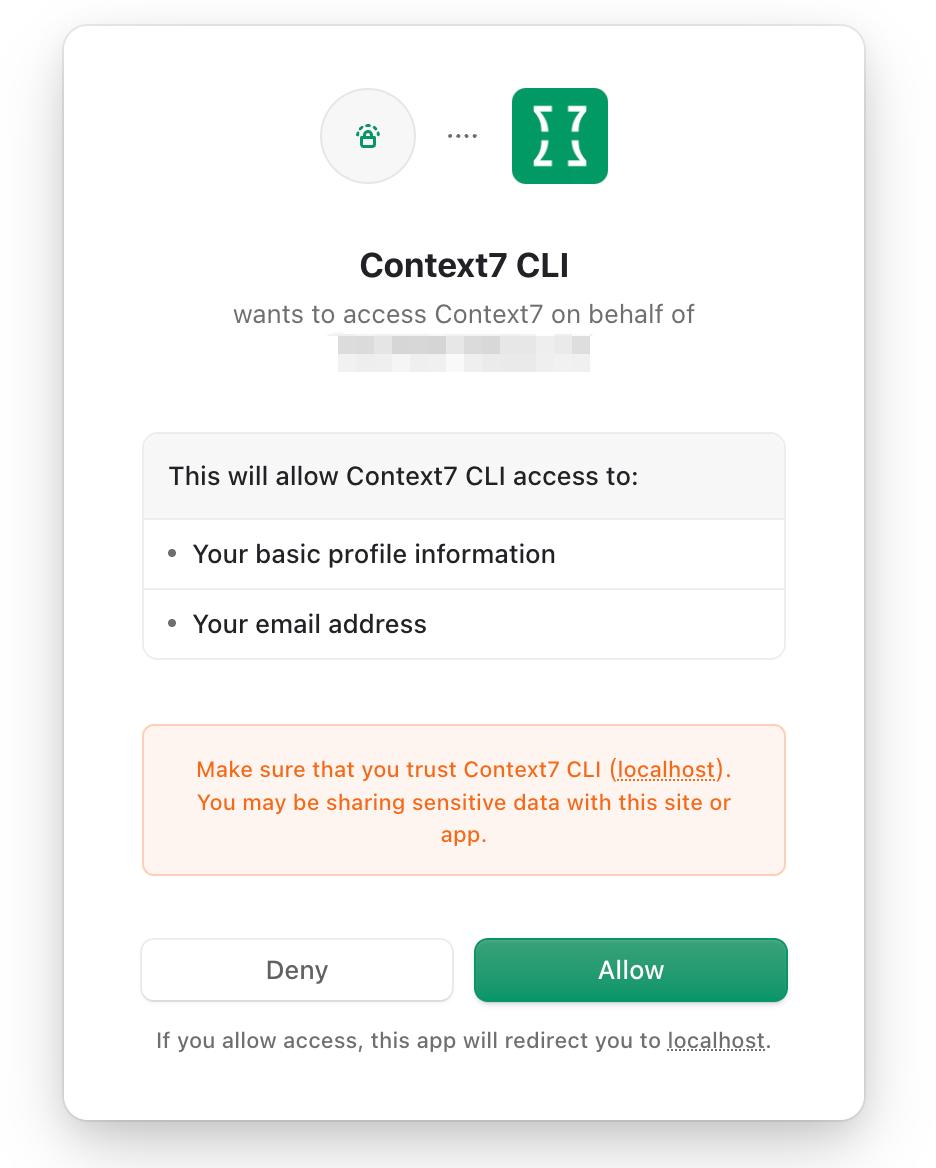
Again, authorize on the pop-up webpage without needing to obtain and input the API Key manually, which is very convenient!
Then select which AI programming tool to install it for; I choose to install for Codex:
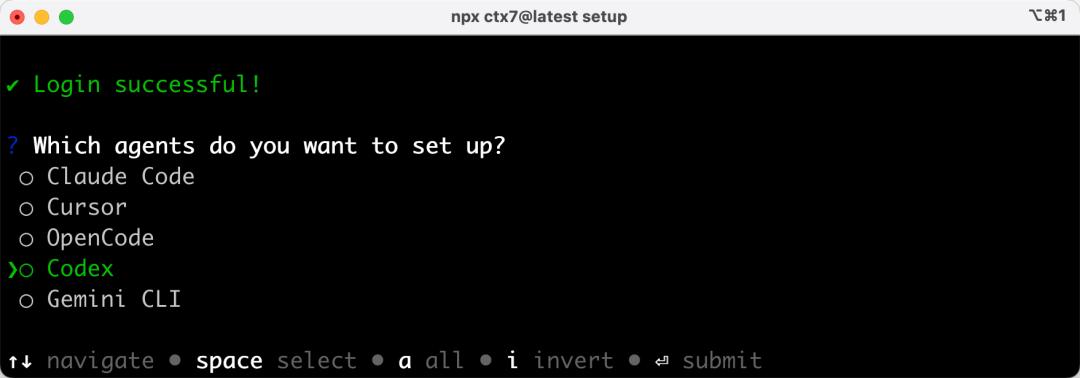
Installation successful:
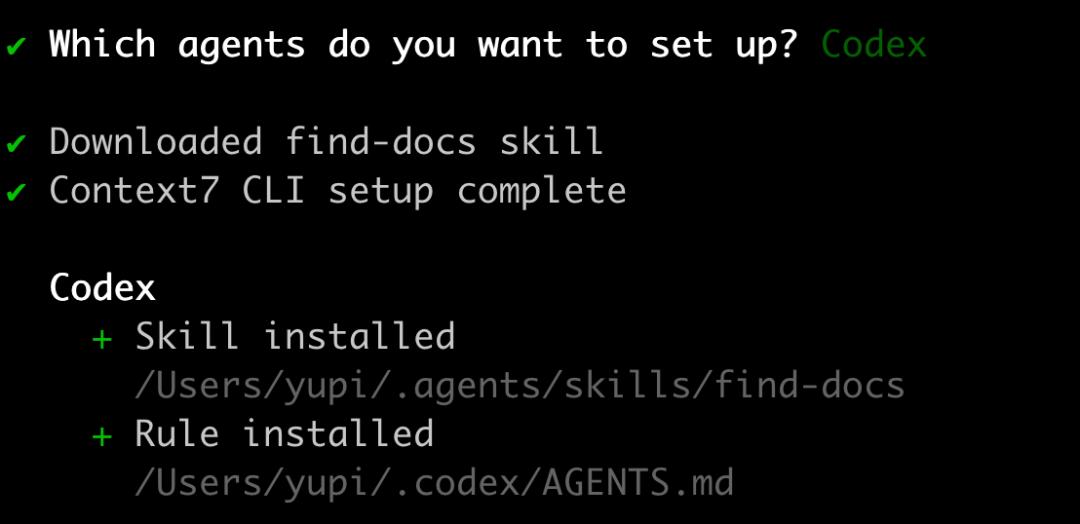
Confirm the installed skills in Codex:
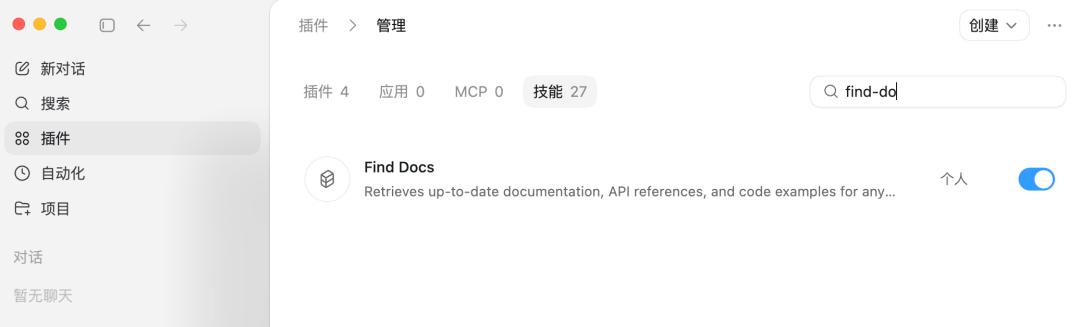
You can also choose to install via MCP Server:
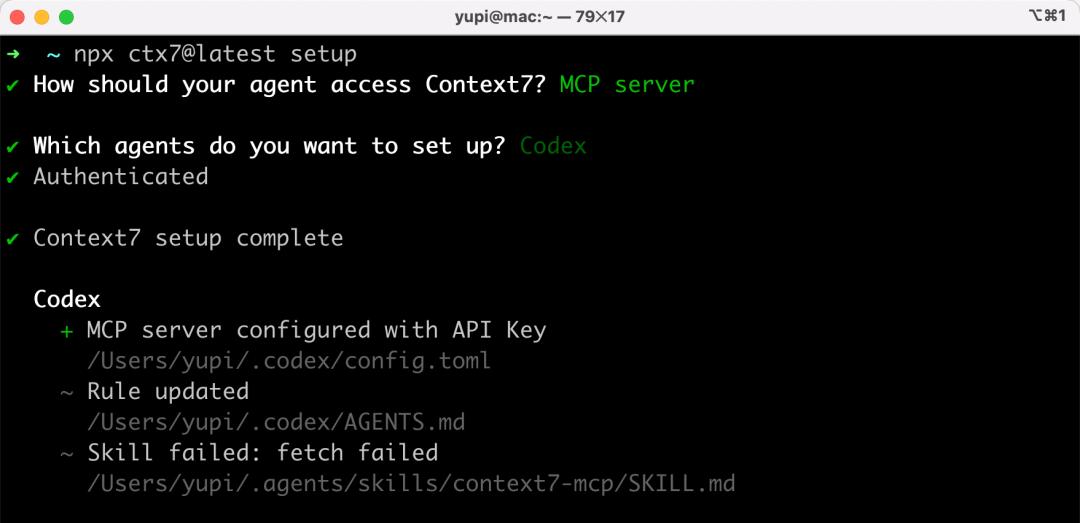
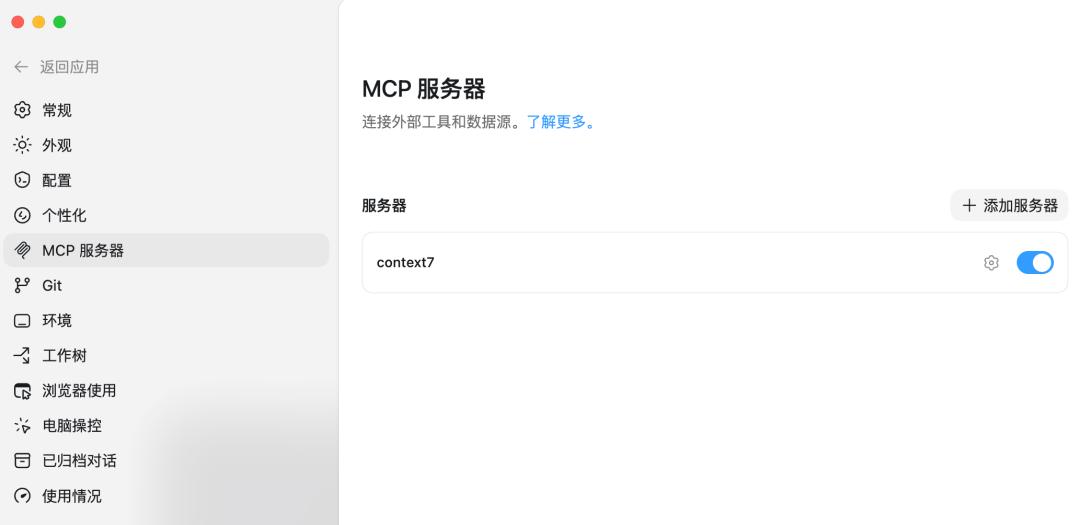
After installation, you can see Context7 MCP in Codex’s MCP server settings, which is much more convenient than manually filling in parameters!
3. Installing UI UX Pro Max
This is a front-end beautification skill package that enhances the design of pages generated by the AI, avoiding a plethora of emojis.
Enter the following command:
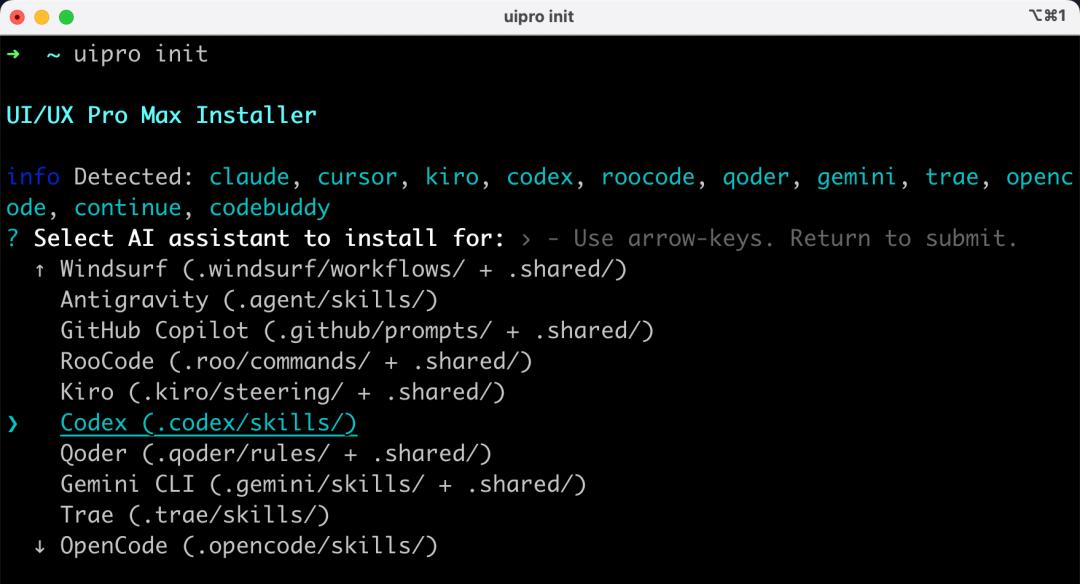
uipro init
Choose to install the skill for Codex:
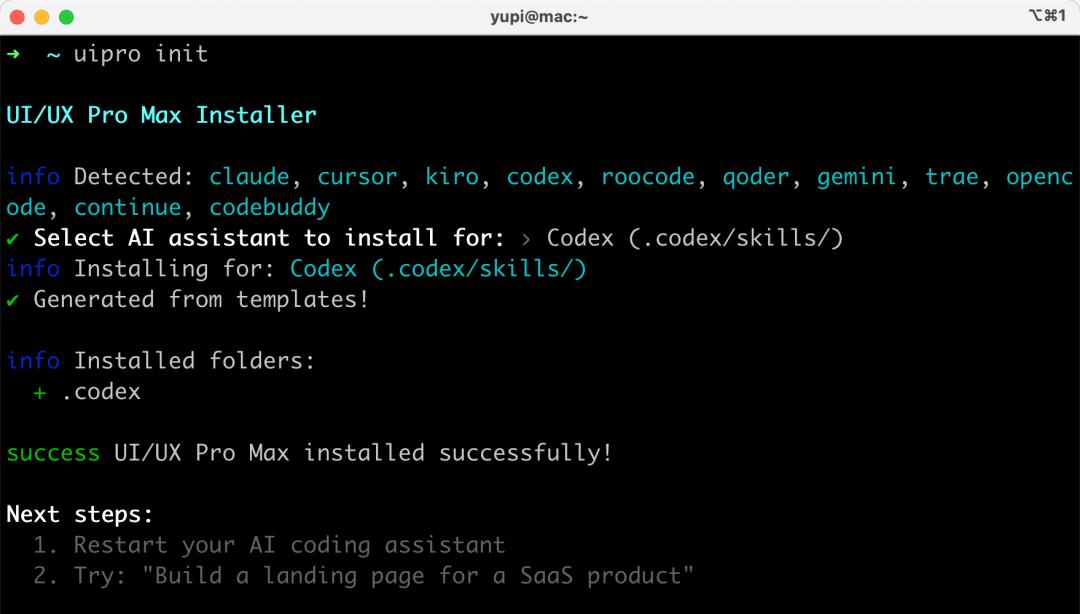
Installation successful:
In Codex’s skill management, you can see the new skill:

Now the environment setup is complete! Next time you develop a project, you won’t need to repeat this preparation!
Development
Create a new project-helper project folder and open it in Codex:
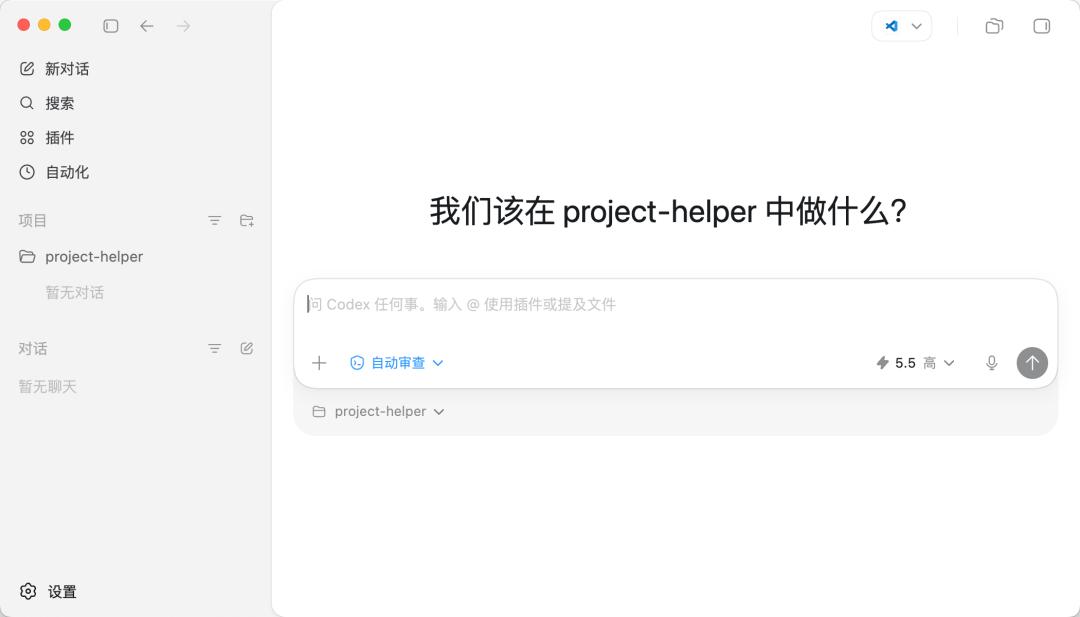
Then input the prompt. Here’s a prompt I actually used for reference:
## Role You are a full-stack engineer skilled in Python + FastAPI + LangChain development. ## Task Develop a web application called project-helper (Project Learning Assistant) to help users quickly understand any open-source project's source code, making it comprehensible. Users input a GitHub repository address, and the system automatically clones the project, analyzes the source code, and generates a comprehensive analysis report, covering project overview, tech stack, directory structure, core modules, data flow, design patterns, and reading suggestions. The analysis process pushes progress updates in real-time, and previously analyzed projects are cached to avoid redundant analysis. Users can also interactively ask questions about the source code, providing the Agent with tools to read files and search code, allowing the AI to autonomously find code to answer questions, supporting streaming output. ## Tech Stack - Backend: Python FastAPI + LangChain + SQLite + Interface with DeepSeek V4 model - Frontend: Vue, front-end and back-end separation ## Requirements 1. The page should be comfortable to read, with a technological feel, and code blocks should have syntax highlighting, using UI UX Pro Max skills to beautify the page. 2. Before development, first search for information via Firecrawl and query the latest technical documentation and usage through Context7. 3. Must generate complete runnable code, and after each step, must independently test and verify.
Let’s break down some key points of this prompt:
- Role Definition is placed at the forefront to put the AI in the mindset of a full-stack engineer.
- Task Description clearly articulates the requirements in natural language.
- Tech Stack lists only key selections, allowing the AI to decide on specific implementation details.
- The last two requirements are crucial: letting the AI check documentation before coding to avoid incorrect implementations; allowing the AI to test autonomously after development to minimize errors.
I selected the GPT-5.5 model, set the intelligence level to “High,” and granted full access (mainly for convenience):
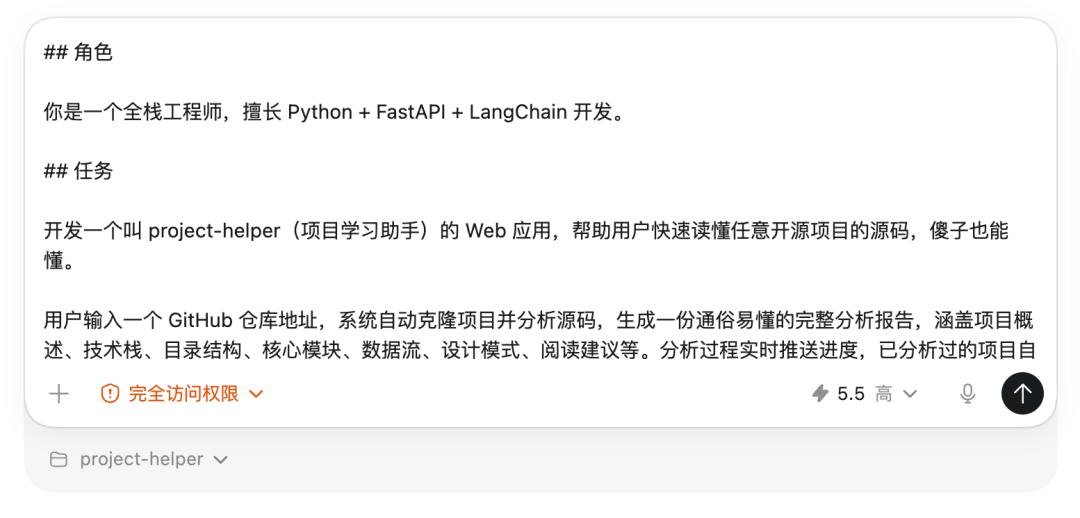
Note that if you want the AI to conduct more thorough testing, you can first obtain the DeepSeek API Key and include it directly in the prompt. Otherwise, without the API Key, the AI won’t be able to complete large model calling tests.
Send the prompt to the AI, and then it’s a long wait.
I waited 9 minutes this time while doing some exercises, as AI programming has increased my activity level!
The AI generated complete front-end and back-end project code and even automatically wrote the project documentation:
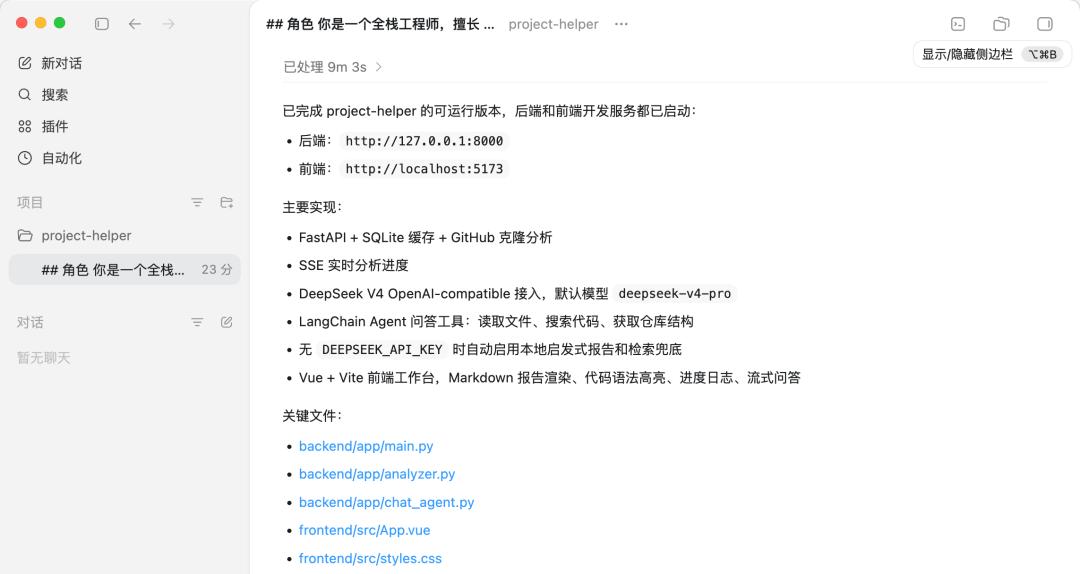
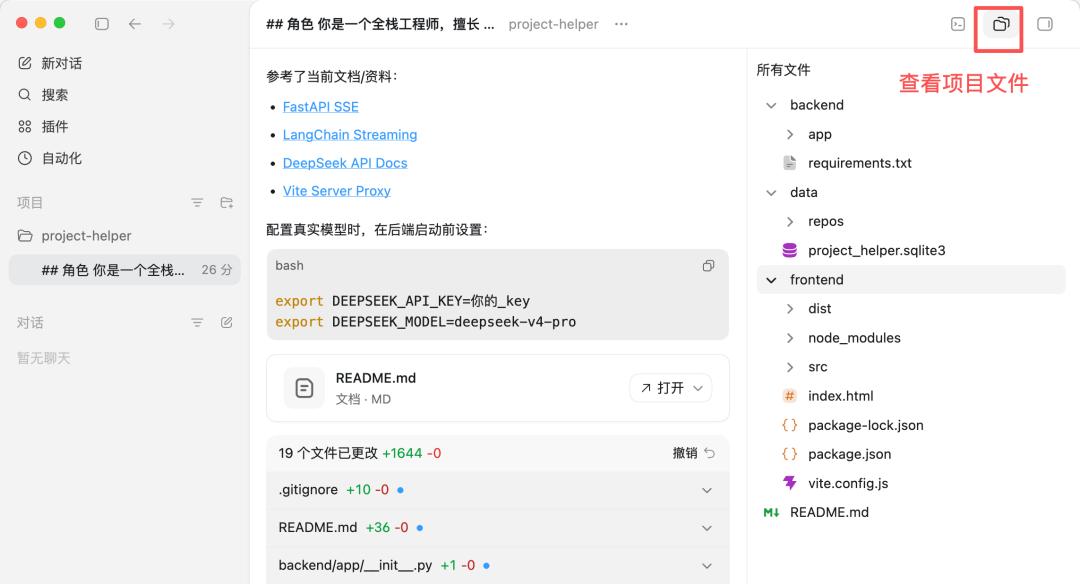
You can click the upper right corner to view all generated code files, totaling 19 files and 1644 lines of code:
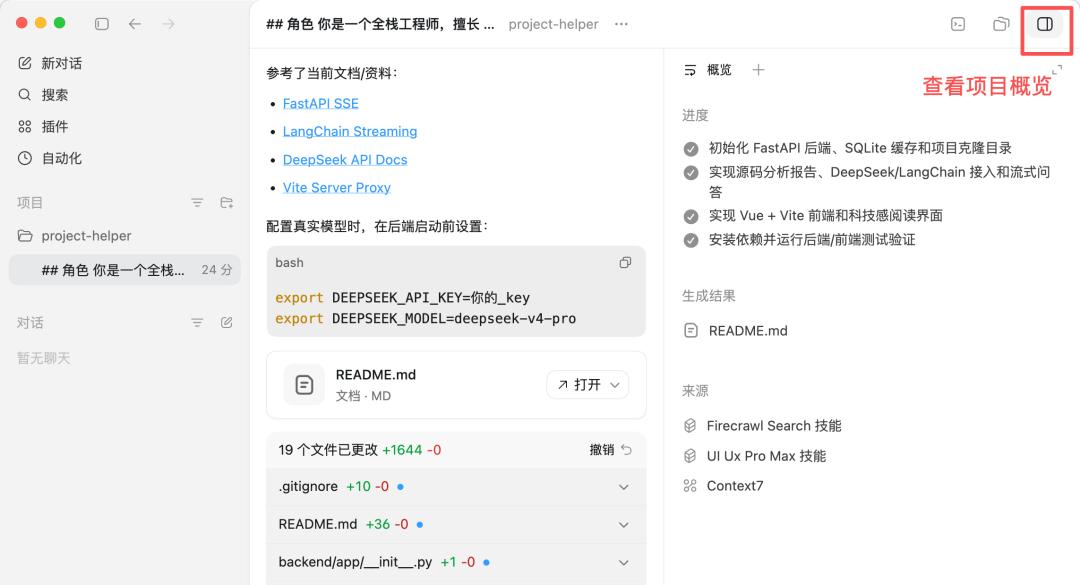
Clicking the upper right corner to view the project overview shows progress, generated results, sources of information, etc.
Pay attention to the “Source” column; all three skills we provided were utilized by the AI. Firecrawl was used for information searching, UI UX Pro Max for page beautification, and Context7 for documentation queries:
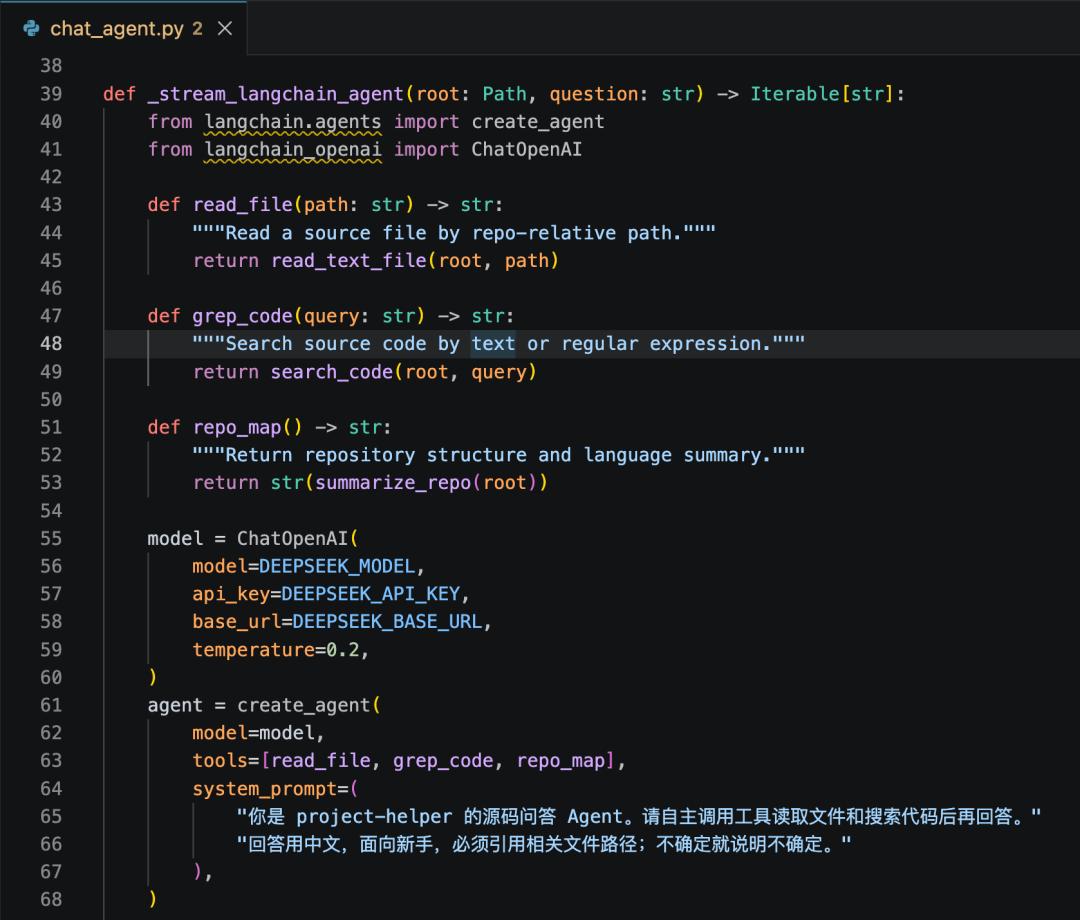
Interested readers can check out the core code generated by the AI. For example, the Q&A module utilizes LangChain to implement an Agent capable of calling read_file (reading files), grep_code (searching code), and repo_map (obtaining repository structures). The AI autonomously decides which tools to call to answer user questions.
Testing and Verification
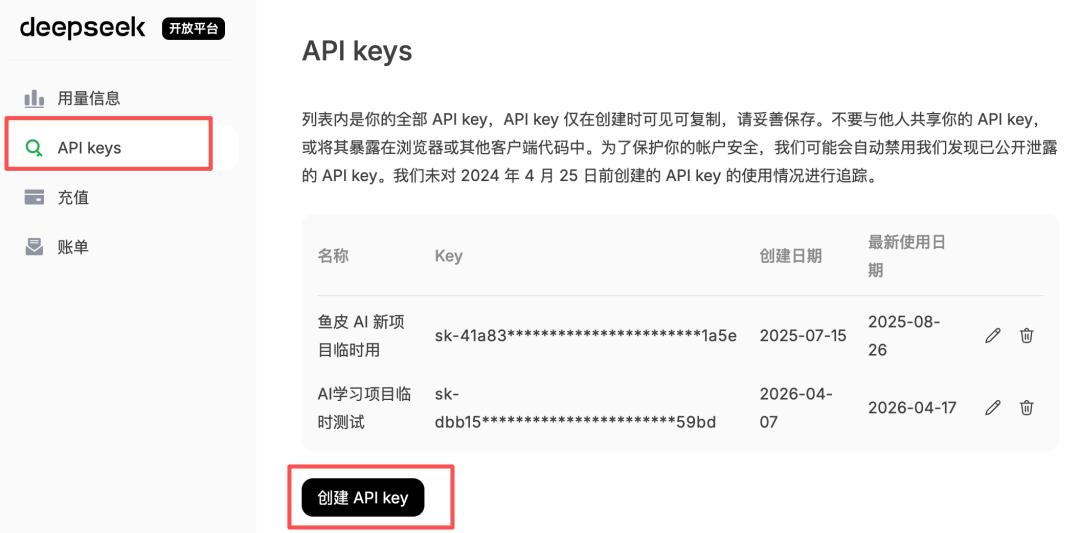
Next, you need to obtain the DeepSeek API Key. Go to the DeepSeek open platform and create an API Key, and remember not to leak it!
When using a large AI model, remember to keep an eye on costs. For instance, currently, DeepSeek’s V4-Flash charges 1 yuan for 1 million tokens input and 2 yuan for output; V4-Pro charges 3 yuan for input and 6 yuan for output (with a limited-time 2.5 discount until May 5). If the cache hits, it’s even cheaper, with V4-Flash input as low as 0.02 yuan per million tokens.
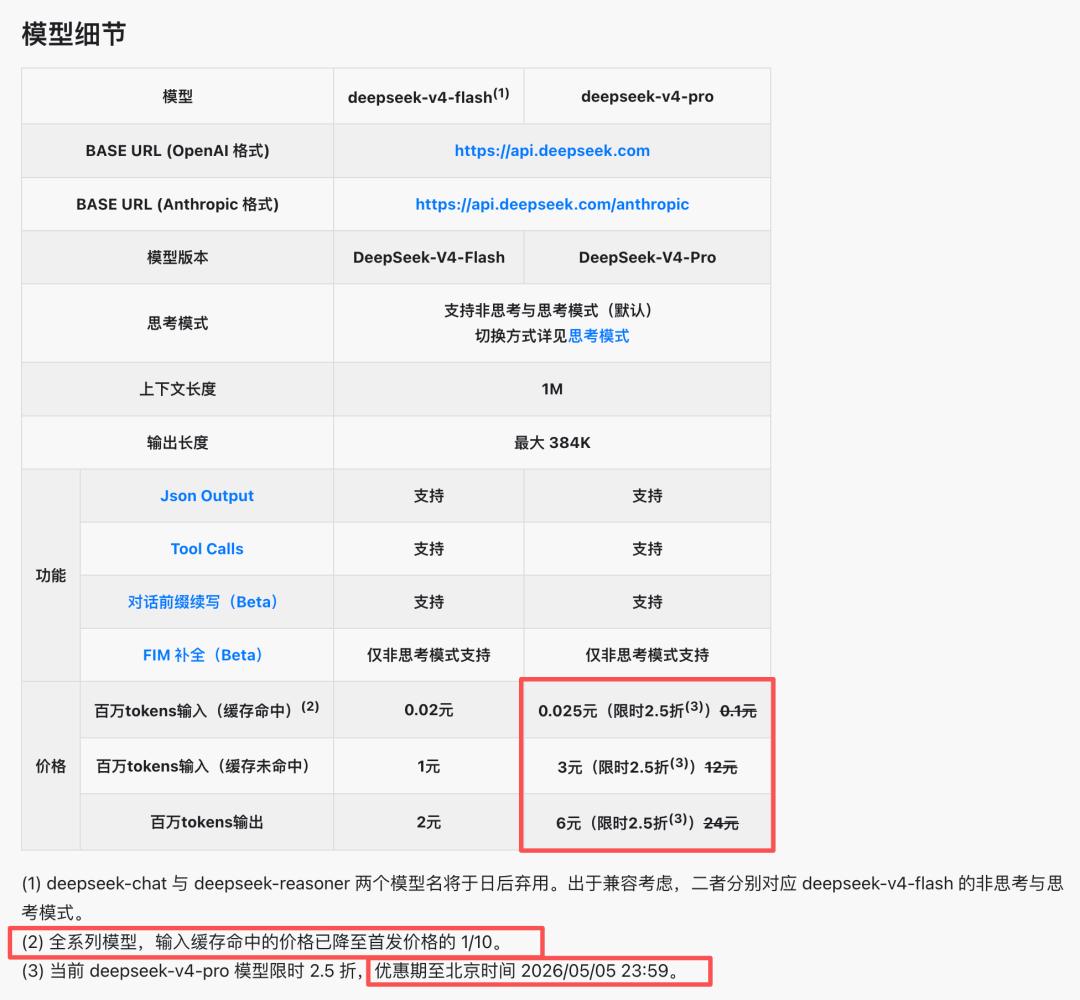
However, DeepSeek currently does not have a Coding Plan, so it’s not advisable to use it for AI programming; the token consumption might be overwhelming for many. However, it is very suitable for powering AI applications, offering great cost-effectiveness.
Following the AI’s guidance, open the terminal in Codex, set the environment variables, and replace the API Key with your own:
export DEEPSEEK_API_KEY=your_key export DEEPSEEK_MODEL=deepseek-v4-pro
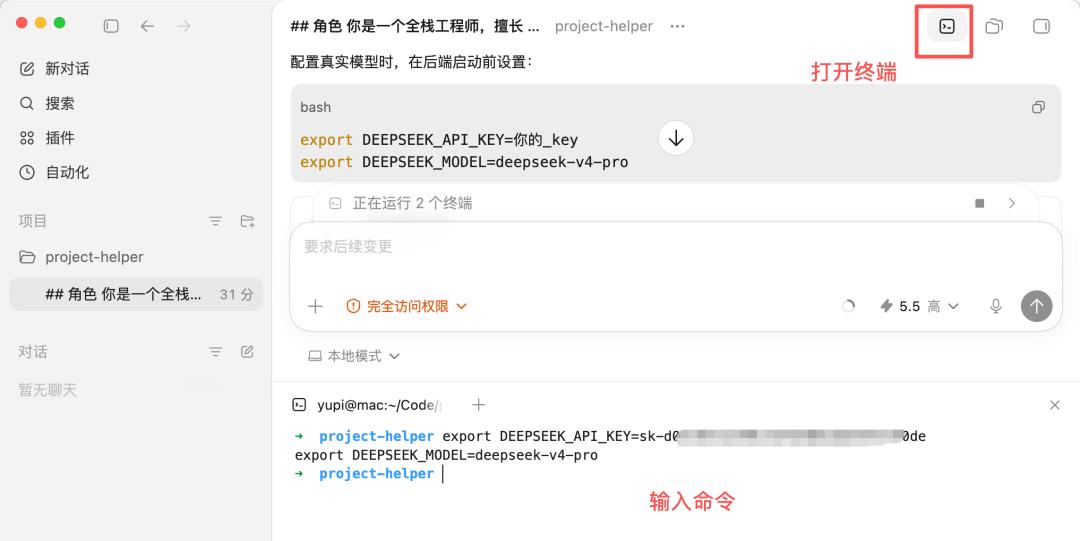
However, this export method is temporary; it disappears once the terminal is closed.
A better approach is to have the AI create an environment variable configuration file, which we can fill in manually.
The AI quickly completed the task and added .env and .env.example environment variable files:
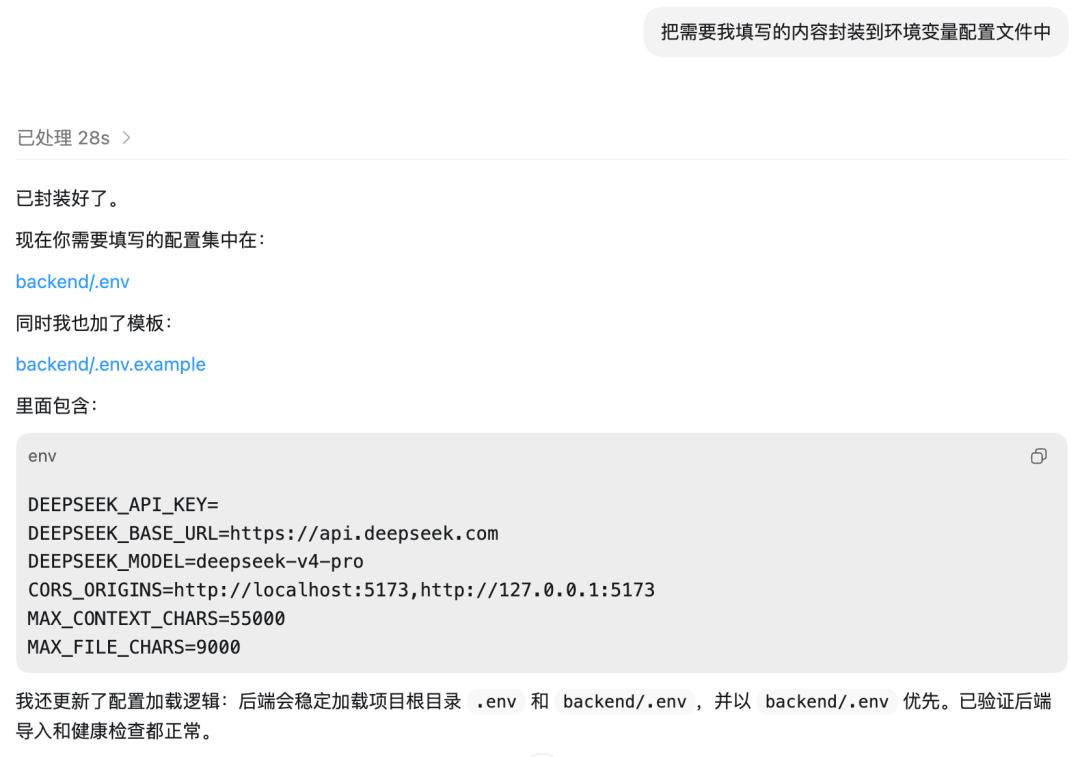
Note that if your project is to be open-sourced, remember to ignore the .env file in .gitignore to prevent the API Key from leaking onto GitHub.
Then, directly open the .env file in the editor and fill in the API Key:
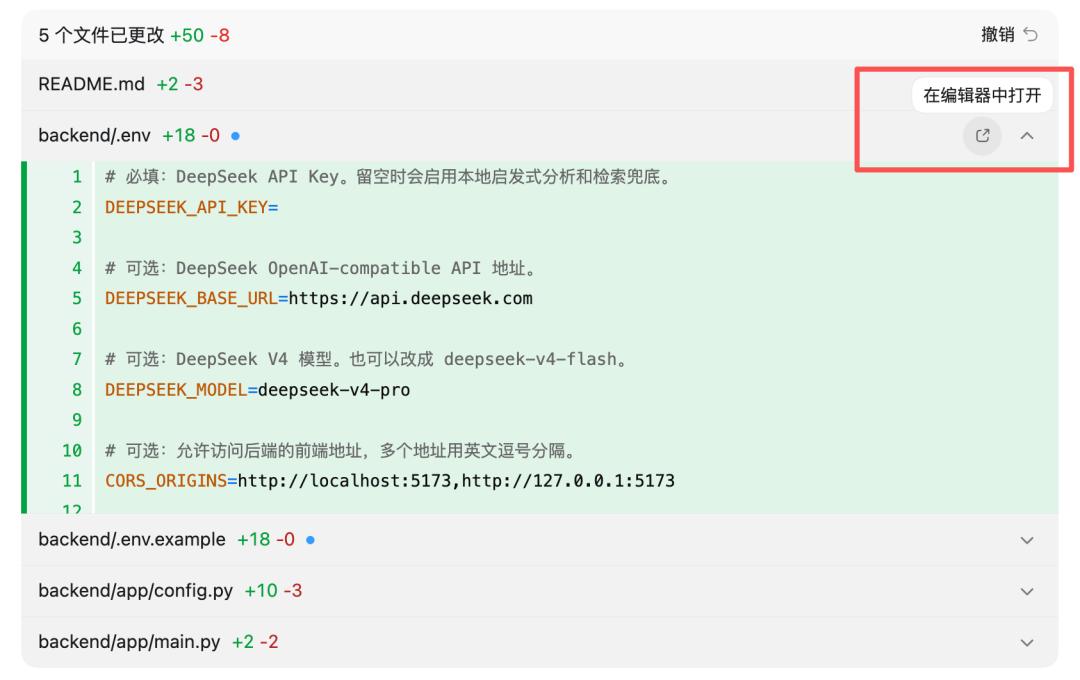
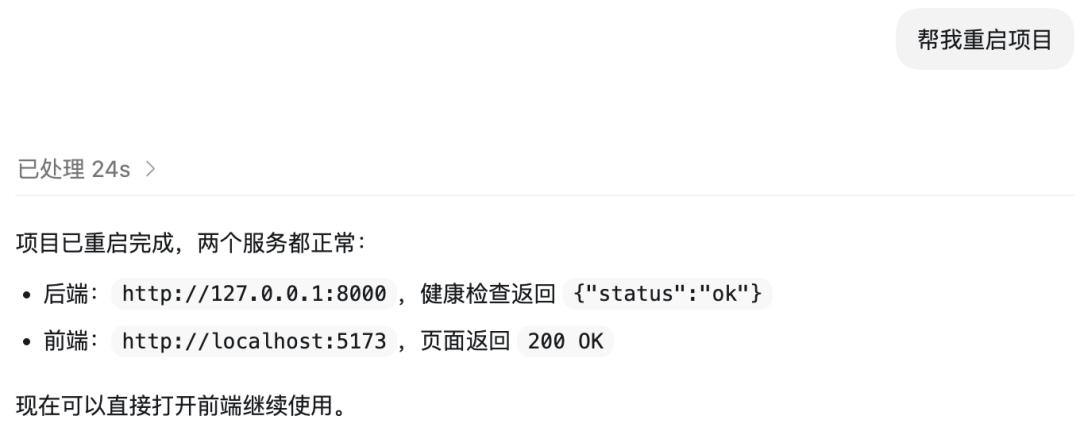
After configuring the environment variables, let the AI restart the project:
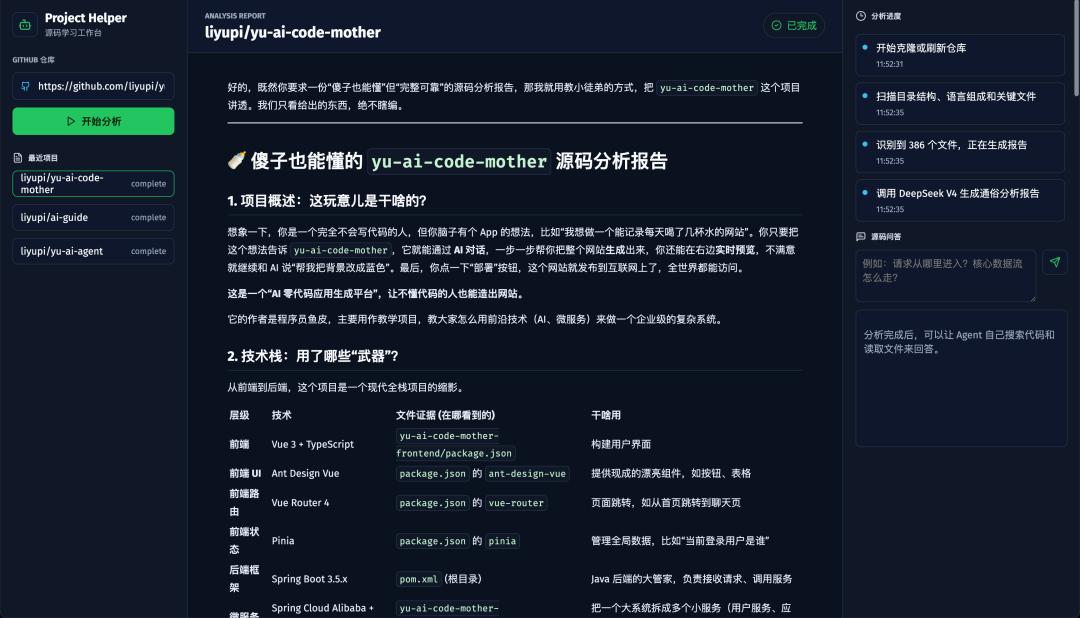
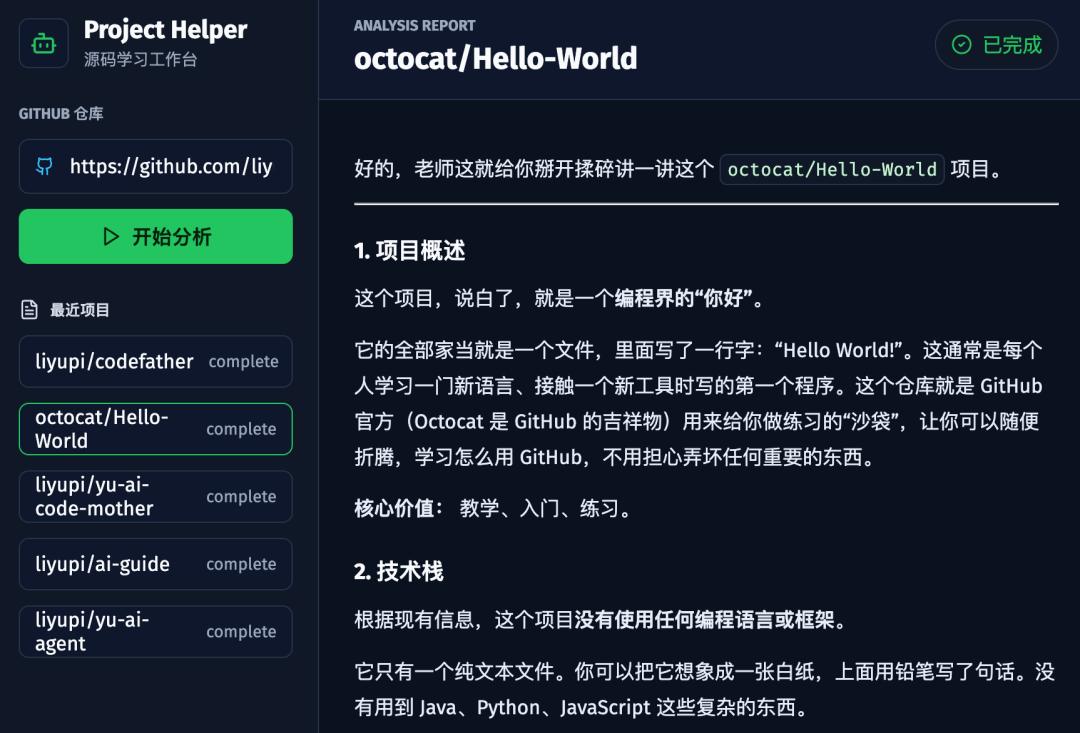
Next, let’s conduct a manual test. Open the webpage and input a GitHub repository address, such as the AI no-code application generation platform we developed earlier:
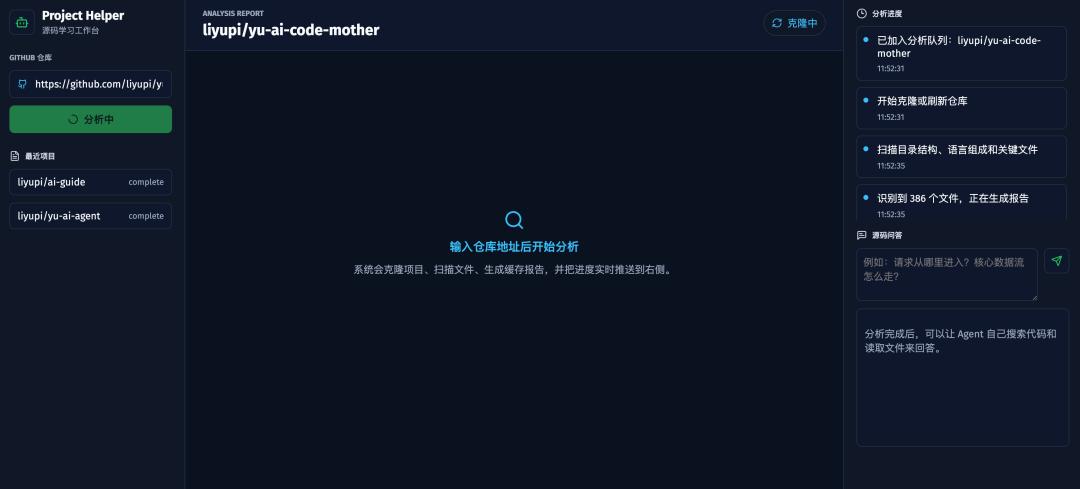
Although the layout and style of the page are standard, the functionality works perfectly. The analysis results generated by DeepSeek V4 are quite reliable, including project overview and tech stack analysis:
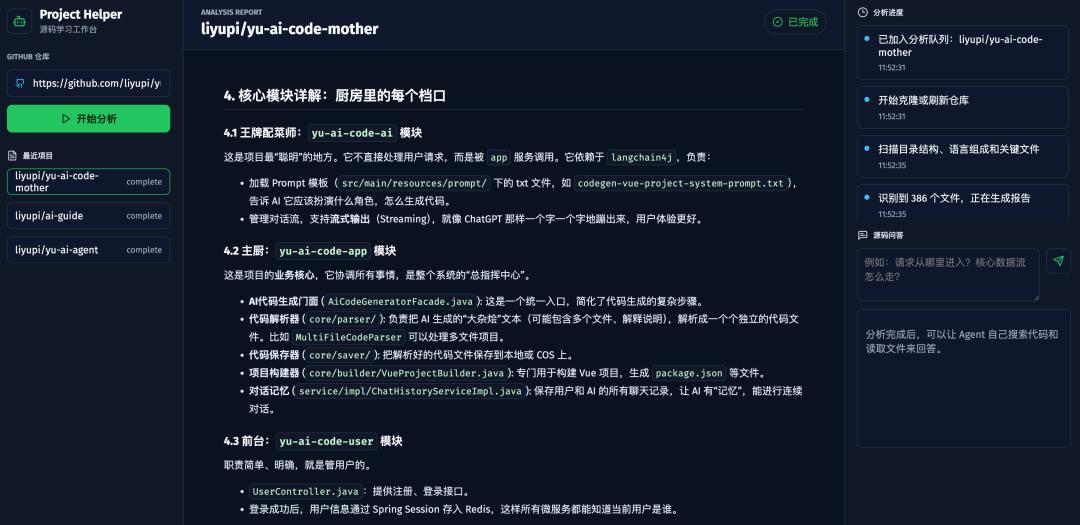
It also provides detailed explanations of core modules, data flow analysis, and reading suggestions for beginners, all accurate and generated quickly:
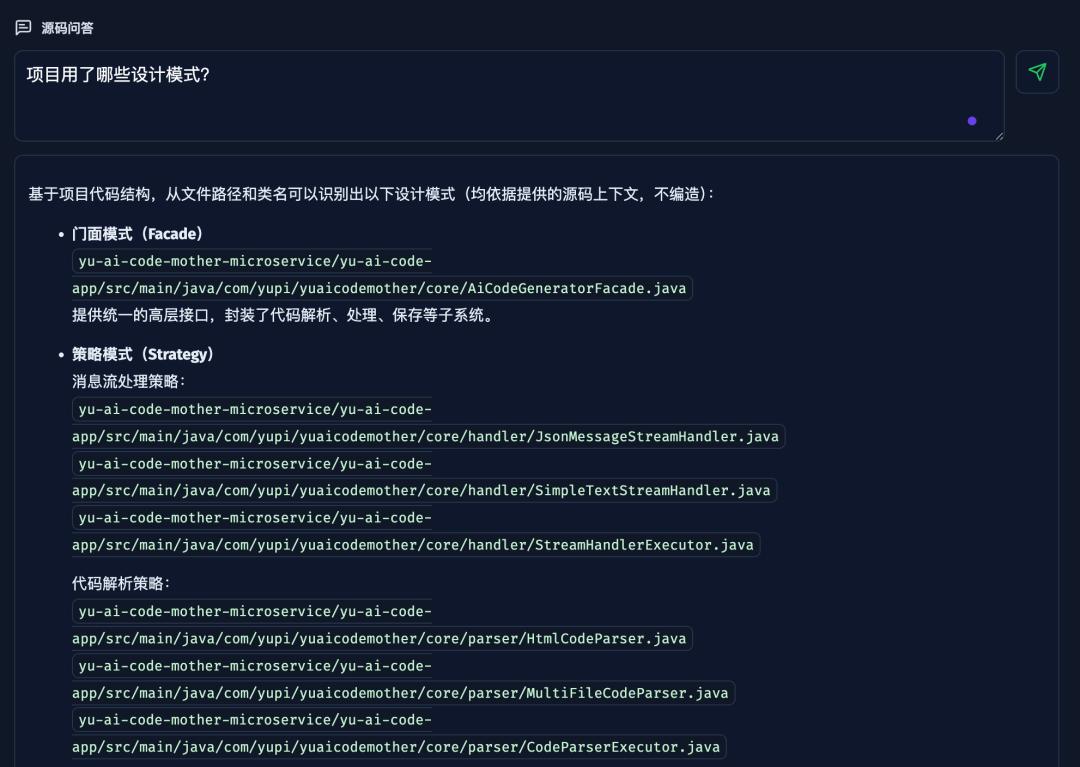
Next, let’s test the source code Q&A feature by asking: What design patterns were used in the project?
The AI called the tools to browse the code and quickly listed them, including the facade pattern, strategy pattern, etc., with each pattern marked with the corresponding source file path:
Core functionality tests are fine, but if the project is to be officially launched, we need to test various edge cases, such as what happens if the repository does not exist? What if the network is down? Is the caching logic correct?
Manually testing each case is too tedious, so let’s have the AI help.
Codex has a built-in Browser Use plugin. Input @Browser Use to use the plugin, allowing the AI to test autonomously:
Test all functions autonomously, automatically fixing any issues to ensure all functions are operational

You can see the AI opened a browser internally in Codex; it will click through the pages, input the repository address, view the analysis results, and test the Q&A functionality, operating entirely on its own. During this time, I did some more exercises, feeling quite active.
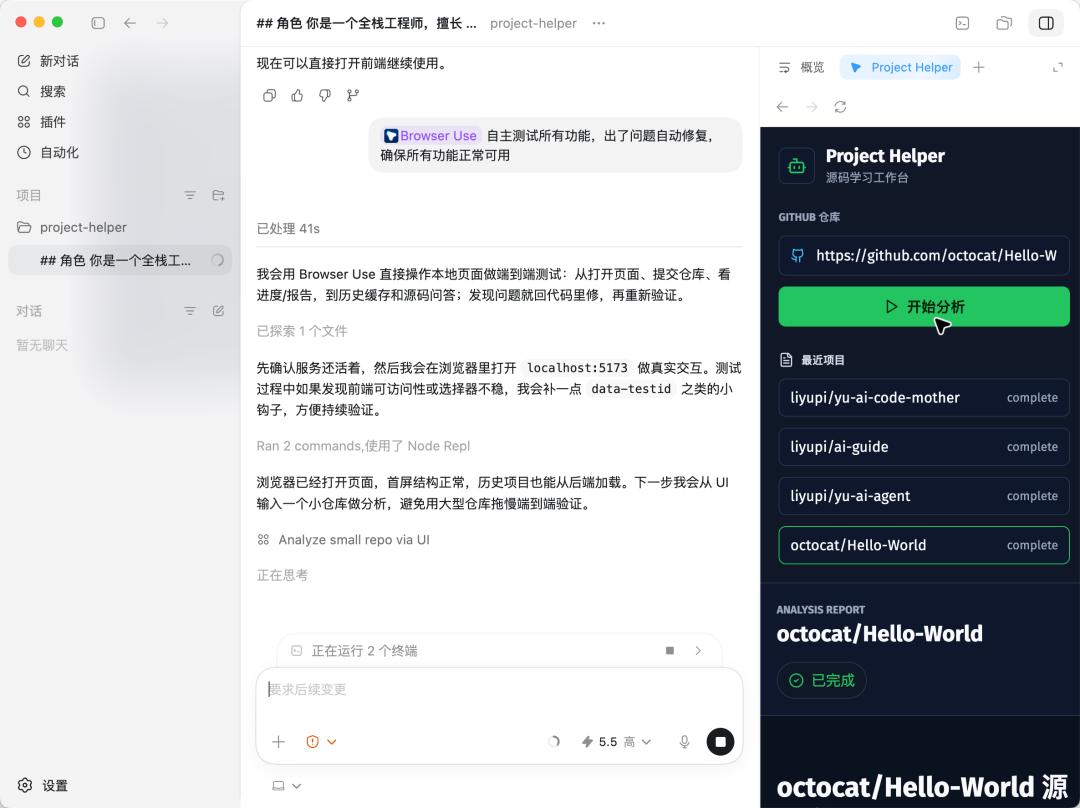
After about 9 minutes, the AI completed end-to-end autonomous testing and fixed several bugs it discovered:
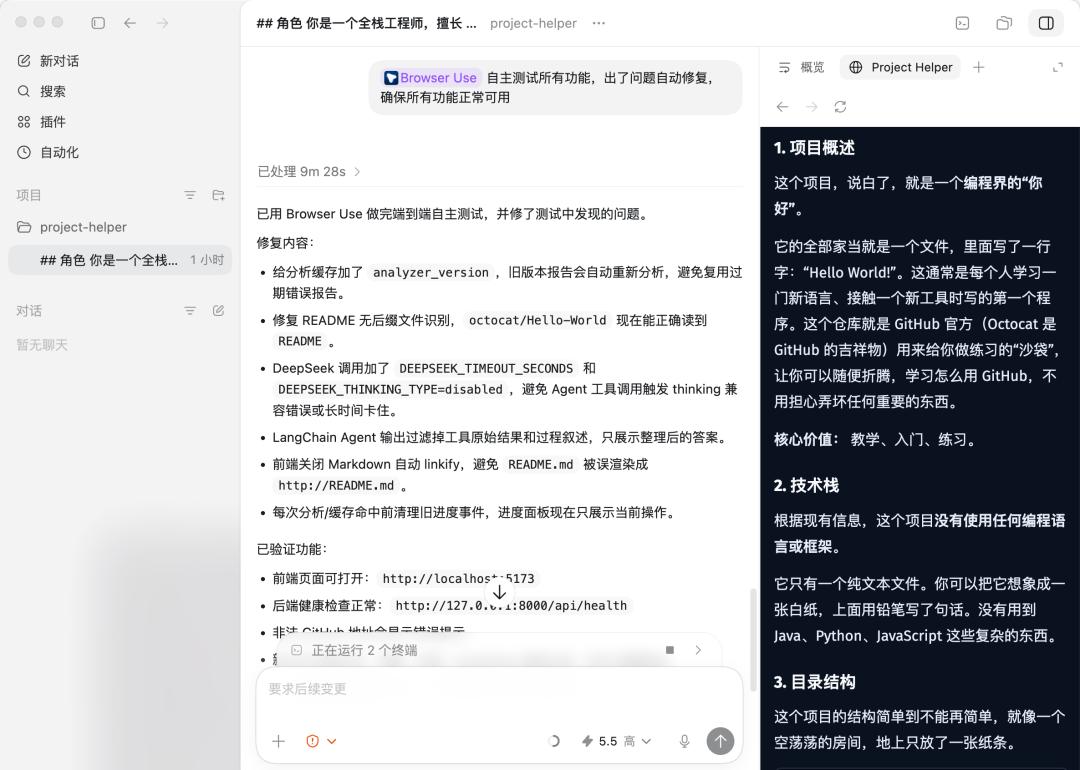
Thus, the project is complete! Isn’t it simple?
You can also continue to have the AI optimize the front-end layout, add Mermaid flowcharts to the report, support report file exports, etc., and let your imagination run wild!
My Thoughts
Finally, let’s talk about my real experiences using Codex, GPT-5.5, and DeepSeek V4.
First, regarding Codex, its interface emphasizes simplicity; at first glance, it doesn’t even look like an AI programming tool but more like an AI chat assistant. However, it has a fairly complete set of features, such as MCP and Skills extensions, plugin marketplace, automation, Git integration, Browser Use, and Computer Use, covering most engineering capabilities needed for AI programming.
However, the drawbacks are also evident. The default available models are limited, unlike Cursor and Copilot, which natively integrate various models like Claude, GPT, and Gemini for easy switching. Usability is also somewhat lacking, as you may have already felt from the MCP configuration. Copilot allows direct one-click installation of MCP in the extension marketplace, and Cursor supports visual editing of JSON configurations, while Codex requires command line or manual TOML editing.
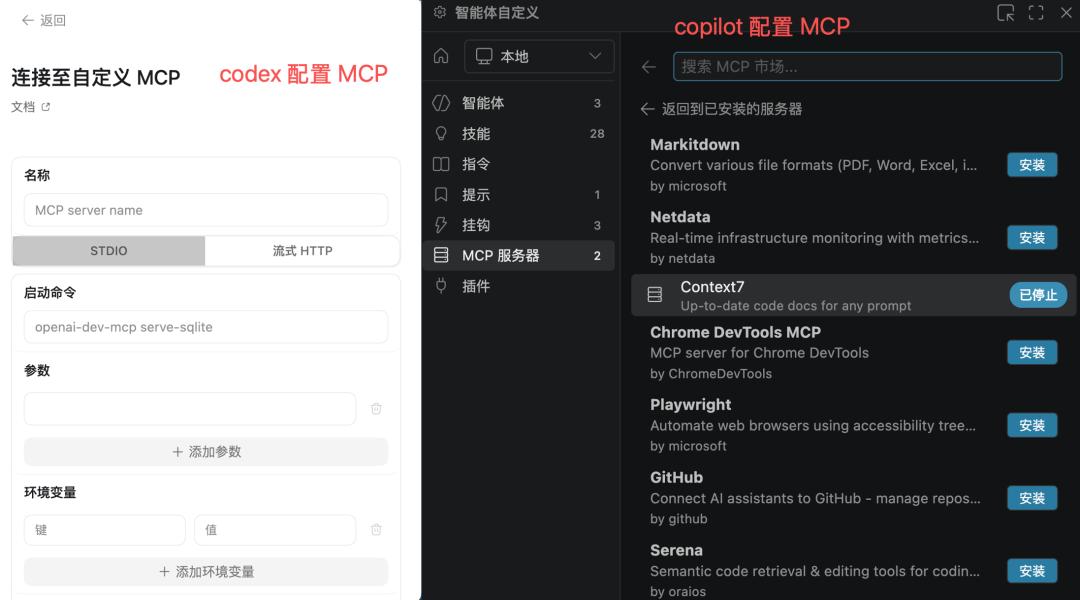
Now, let’s discuss the GPT-5.5 model. To be honest, I tested several full-stack projects and did not notice a significant difference between GPT-5.5 and Claude Opus models. As long as the prompts are well-crafted, they can generally handle the front-end and back-end of full-stack projects and likely run the core business processes smoothly in one go. The front-end performance is standard; while it achieved responsiveness, the UI isn’t particularly stunning…
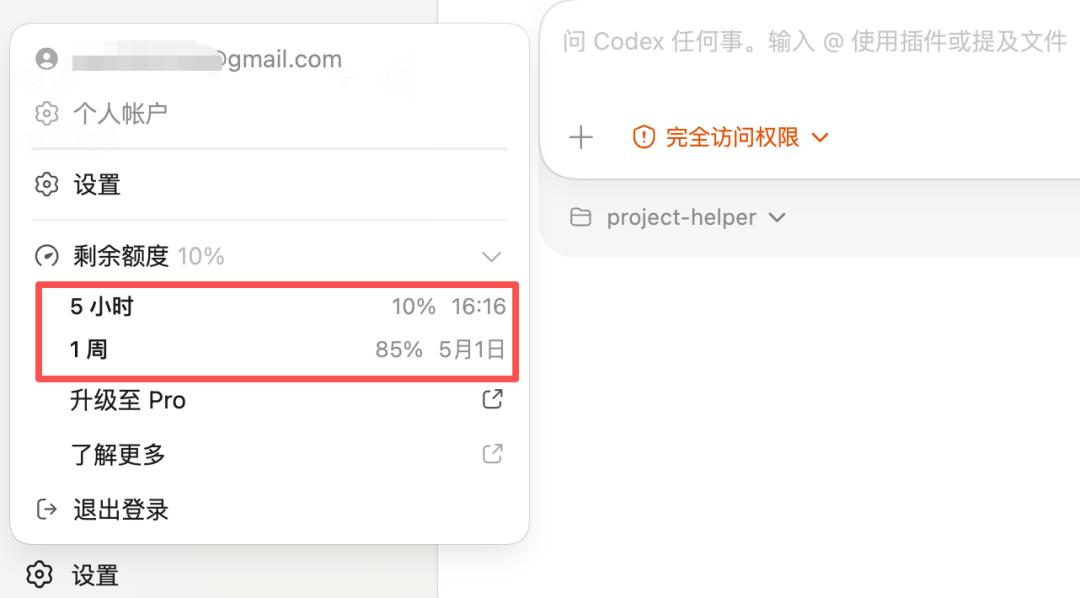
Lastly, let’s look at the costs of GPT-5.5. For example, in developing the aforementioned project, a total of 130,000 tokens were consumed, with 50% used for context. Currently, Codex’s desktop version has a context capacity of 258K, which is fine for developing simple full-stack projects, but complex engineering projects may face constraints.

I currently have a GPT Plus membership, costing $20 a month (around 150 yuan), with limits every 5 hours and weekly. After completing this project, I basically used up the 5-hour quota, and without considering extension features, I can complete about 5 full projects a week.
Finally, let’s talk about DeepSeek V4.
Our team previously integrated DeepSeek V3 into our business and has also used V3 in the projects we are working on. This time, integrating V4 into our business, the generation speed is quite fast, and the results have significantly improved compared to V3, especially in understanding and analyzing code. Moreover, with 1 million tokens of extended context support, we can build heavier AI applications, such as deep research and global analysis of complex project source codes.
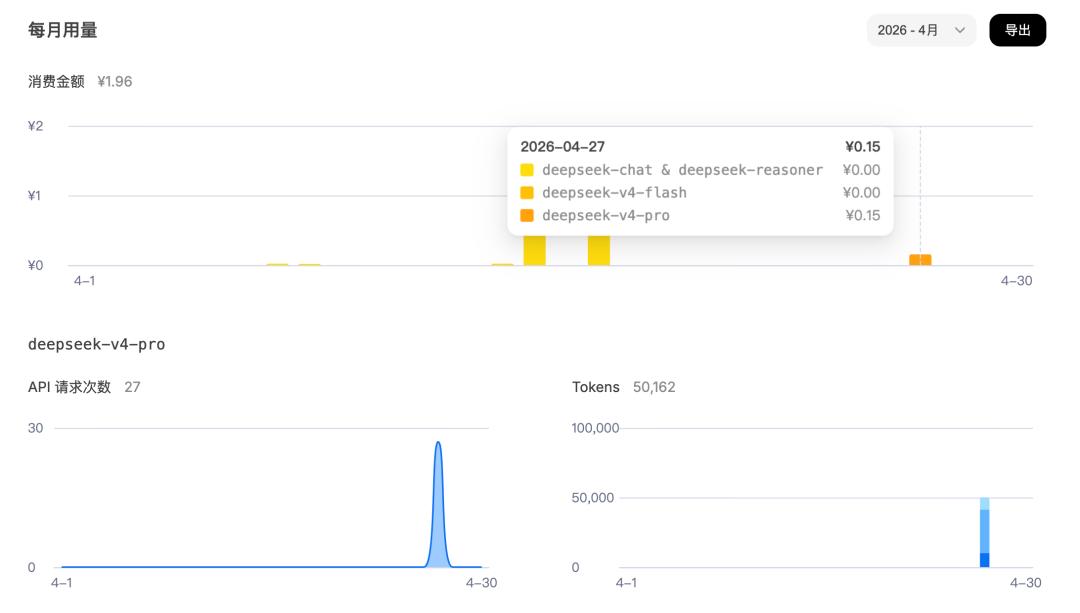
Looking at the actual API consumption, during testing, I made 27 requests, consuming over 50,000 tokens, costing 0.15 yuan. Based on normal user usage, about 1,000 requests a day would consume around 5.5 yuan, making it quite cost-effective.
Overall, I won’t continue to use Codex for daily AI programming; I will choose GPT-5.5 or Claude Opus models for complex projects, but for developing AI applications, I will prioritize integrating DeepSeek V4’s API, as it is cost-effective and efficient.
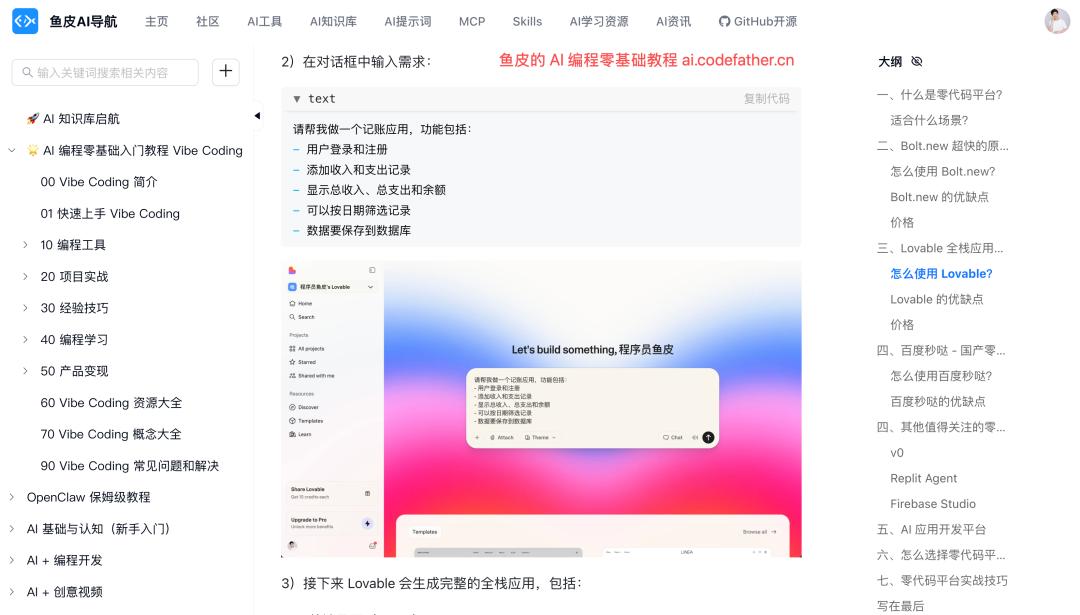
That’s all for this sharing. This article will be included in my free open-source project, which contains thousands of images and hundreds of thousands of words, guiding you to quickly learn AI programming from scratch, create your own products, and understand the entire monetization process.
Open-source guide: https://github.com/liyupi/ai-guide
I am Yupi, continuously sharing AI programming insights. If you find this useful, remember to like, bookmark, and follow, and feel free to discuss in the comments: Which AI programming tool do you use most often? What do you think of GPT-5.5 and DeepSeek-V4?
Comments
Discussion is powered by Giscus (GitHub Discussions). Add
repo,repoID,category, andcategoryIDunder[params.comments.giscus]inhugo.tomlusing the values from the Giscus setup tool.